This is a submission for Make Visual Novel Assets! Jam

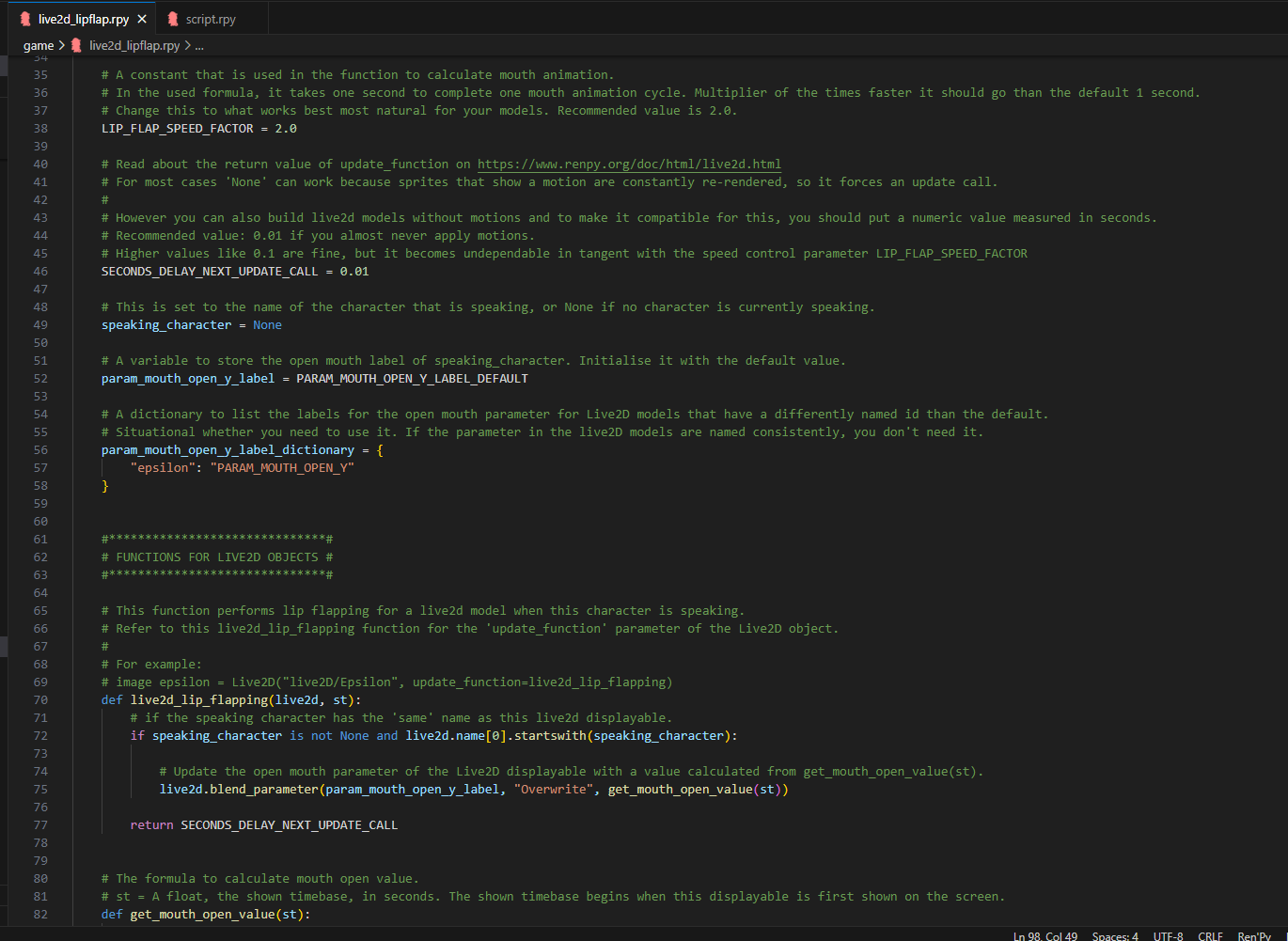
This Ren'Py script (.rpy file) offers an automated lip flap implementation for Live2D models that bears similarities to the original Blink_And_Lip_Flap Ren'py cookbook recipe.

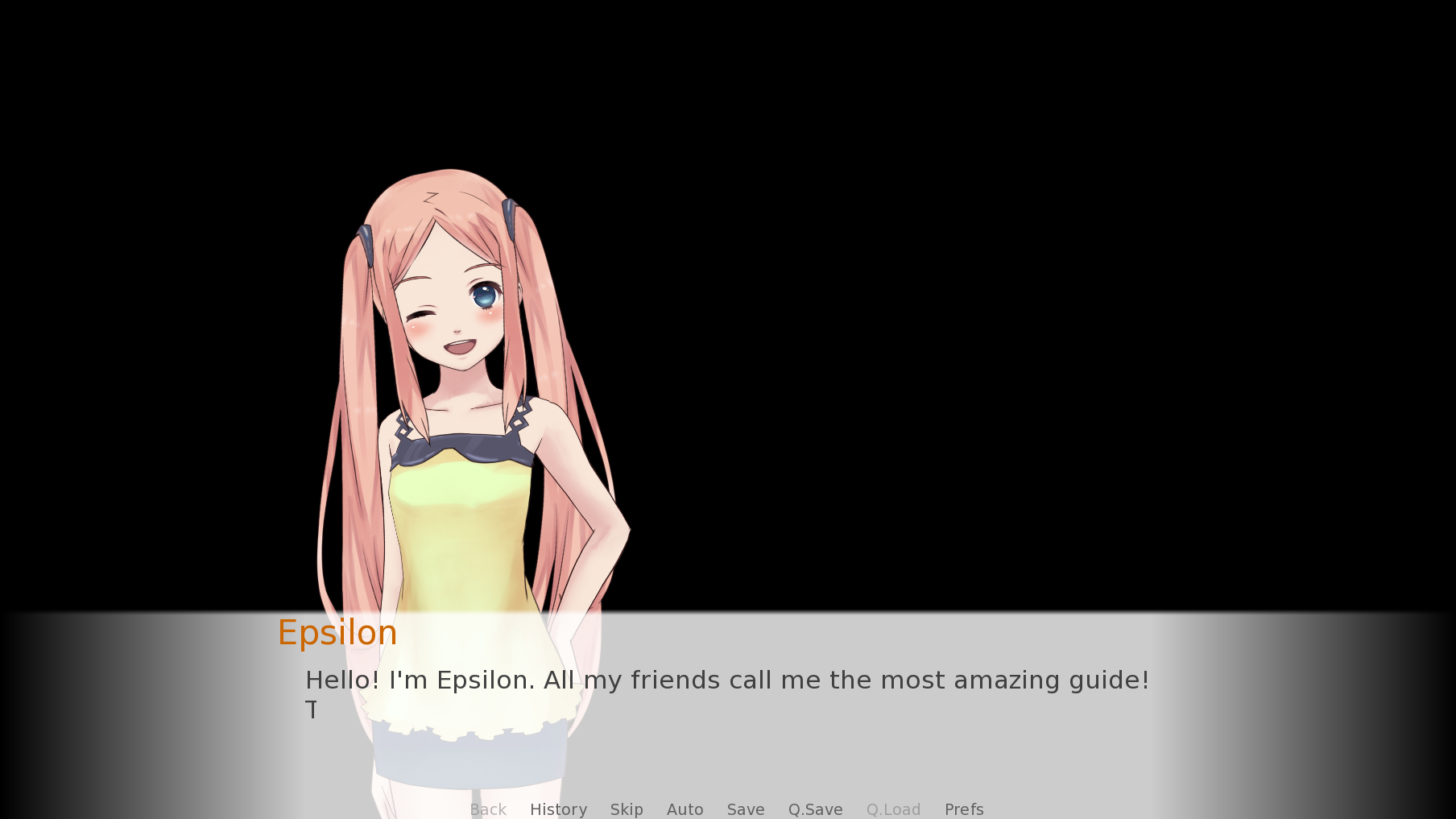
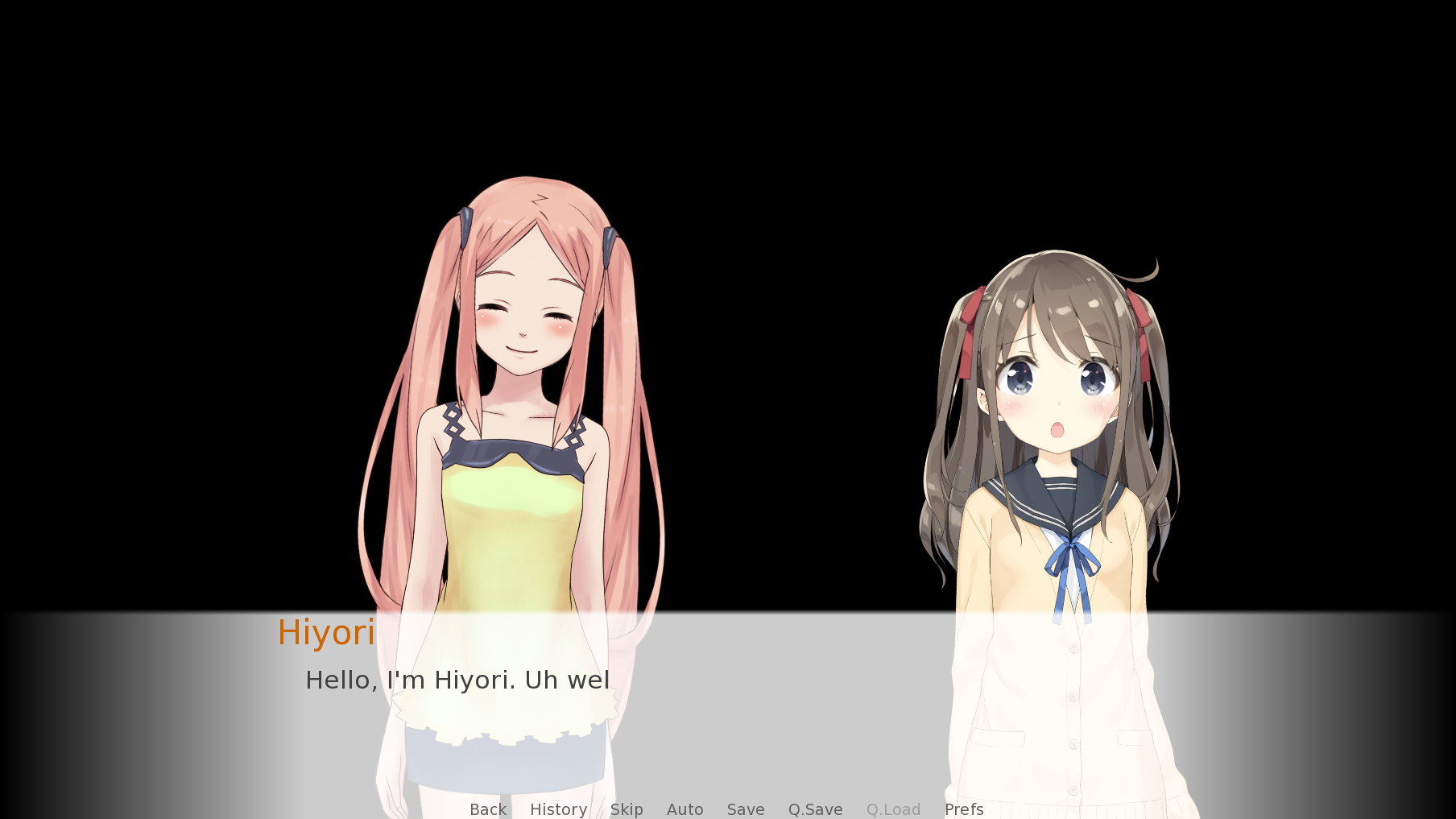
- A character sprite performs animated lip flaps when dialogue text is being printed for them, through only adjusting the 'Mouth Open' parameter. Note that this is not anywhere close to realistic lip sync.

- After that it immediately switches to the default mouth position (defined from expression and/or motion).

The goal was to achieve this through easy-to-use minimal code, and without the need for the dev to overhaul their existing Live2D models (unless it's missing the required rigging) or Ren’Py code.

(Dev Note: Special thanks to Feniks for suggesting code improvement for smoother mouth animation transition! I recommend you to manually incorporate their suggestion that is described here and credit them as well https://itch.io/post/12293045)


Confirmed to work with the following versions:

- Live2D Cubism SDK for Native: CubismSdkForNative-5-r.2

- Ren’Py: 8.3.4 (December 8 2024). See Devlog / comments section if you use 8.4.1 (and higher) due to Ren'Py changes.


Licence:

Actual code asset:

The MIT licence only applies to the code asset, live2d_lipflap.rpy, which you can freely use.

You can modify the code in any way, but the copyright notice text at the top of this file should not be removed.

Credit to my name ("Gaming Variety Potato") is not required for your Ren'Py project, but appreciated. In that case you can list it under (code) asset attribution.

PDF Guide & game demos:

These elements of this project are purely added for educational purposes.

This content uses sample data owned and copyrighted by Live2D Inc. The sample data are utilized in accordance with terms and conditions set by Live2D Inc. This content itself is created at the author’s sole discretion.

I've renamed the Live2D model files and the model3.json contents to match the expected structure for Ren'Py.

StatusReleased
CategoryAssets
Rating
Rated 5.0 out of 5 stars
(8 total ratings)
AuthorGaming Variety Potato
GenreEducational, Visual Novel
Made withRen'Py
TagsAsset Pack, code, live2d, No AI, Ren'Py, Royalty Free, sourcecode, Tutorial
Code licenseMIT License
Average sessionA few minutes
LanguagesEnglish
InputsKeyboard, Mouse
AccessibilityOne button
ContentNo generative AI was used

Download

Download
Ren'Py Live2D Lip Flap Code [DEMO INCLUDED].zip 146 MB

Install instructions

Unzip Ren'Py Live2D Lip Flap Code [DEMO INCLUDED].zip which contains these following files/folders:

  • Code Asset: live2d_lipflap.rpy which can be put anywhere in your Ren'Py game folder. Made for Ren'Py 8.3, see devlog for higher Ren'Py versions.
  • PDF Guide
  • Demo: Ren'py game executables for all the available platforms (PC works for both Windows and Linux). Live2D is not supported on Ren'Py web builds for Ren'Py versions lower than 8.5.
    • Archiving has not been applied, so each individual file can be viewed. This also allows you to easily change the code to see what it does.

Development log

Comments

Log in with itch.io to leave a comment.

Absolutely incredible code, thank you very much.

I have one small question/suggestion if you don't mind, though. The current code make characters talk as the text appears on screen, however, some players really like to speed up the text so it appears inmeditely, giving the feeling that the character only move their mouth for an instant.

Is there a way or do you think it would be possible to apply the flapping depending of the number of characters in text instead of the speed the text appears on screen? That way it would always feel as if the player is talking through the entire sentence instead of finishing as soon as the text ends.

Thanks again for the great work and sorry for bothering.

Hi Keinart, your suggestion is very possible. You can measure the character count of the printed dialog line with len(_last_say_what). From there I came up with an approach that supports both the original and your suggestion via a switch that looks at player settings. 

Newly added code is marked in green, blue shows edits.

- New function (you can put it anywhere) is_csp_instant_or_fast  looks at the csp the player has chosen in their preferences. 180 is just some cut-off number for what I consider fast.

- If it's 'normal csp': goes with the old way of telling when the lipflap animation should end. See the edited line in function speaker_callback.

- If it's 'fast csp': ends the animation based on dialog length. See function live2d_lip_flapping. Change the 20 value to what looks good for your animation cycle. I added this same number as a buffer to len(_last_say_what) to guarantee at last some animation even if the text is short.

This is even better than anything I could have even imagine, mixing the best from both worlds. It's even really easy to edit and adapt by just changing the numbers until it fits perfectly. Thank you very much, even more considering how fast you got it. Have an amazing new year and I'll make sure to add your name to the credits once it's out (still a long time for that, sadly).

Thanks!

No problem, it was one of these issued I noticed early on, but I considered all my projects finished because I can't afford maintaining them. It's nice to do a little problem solving once in a while and I'm glad it helped you out. 

Happy new year to you as well and good luck with developing your game!

Just noticed a typo: csp is supposed to be named cps, but it was a quick and dirty code to test if it conceptually worked. Copy-pasted the wrong name everywhere... will fix that comment later.

hello I am currently using this code for a class work of mine and it has worked wonderfully! thank you very much!!! but I have an issue

tldr condition switch kinda breaks it even if the live2d responds well
anytime I use a condition switch for any of the models using the call back it doesnt make the character talk. idunno how to phrase it forgive me if I am not making sense.

(1 edit)

Hi Mokilil, thank you for using my code!

Are your definitions and script structured something like this? (These same lines can be used in my game project for testing)

I added spacing in the image name after "f", so you don't have to manually hide them constantly when switching to another image for the same character, but that is a matter of preference.

Maybe it's not working correctly because your ford and waynely models don't have the paramMouthOpenY parameter named the same way in their json? 

A quick-and-dirty way to fix this is put in all the available namings you have like this in the live2d_lip_flapping method (this is just the example with hiyori and Epsilon but might not be universal). All the Ren'Py versions I have tested so far allows it, even when model doesn't have a blend_parameter with a particular name. Then you can remove the param_mouth_open_y_label parts in the code too because it's redundant.

OH MY GOD SYNTAX WAS MY ISSUE THAKN YOUUUUUUUUUUUUUU. I forgot that one define for the character and thank you!!!!!

Just a heads up.

This code works on Renpy versions up to 8.3.7

But it wouldn't activate on the same game project on the 8.4.1 version unless I set the callback=speaker("") (which would make all of the characters talk).


I'm a total zero when it comes to coding so I hope this comment isn't too much of a bother. I super duper really love this code and have used it for multiple projects, some of which aren't even games. It's incredibly convenient and has saved me hours of work. 

Hi DegeneRita,

Thanks for the comment. I don't maintain old code in general, so I wasn't aware that anything broke on a higher Ren'Py version.

For Ren'Py version 8.4.1 (unknown if future versions overhaul the Ren'Py class structures again) you should change this part:

live2d.name[0] into live2d.name[1]  

You don't need the print line, but I added it for debugging it in the console to see what's stored in the live2d.name. In older Ren'Py versions, I don't believe that the 'master' was there, so index 0 isn't storing the name anymore, but it's in 1 instead. In the future I'll see if there is actually a more robust way to read the name, since it was very trial and error looking how the Ren'Py code itself is structured and not necessarily things that are documented on its Live2d page.

I'm glad that this asset had been very useful to you! I don't use Live2D myself and this was just a little exercise for the jam, but it's cool to hear that people actually use it.


Glorious! That did the trick! You are an absolute gem! ❤️

Thank you again for the code and the update help!


If you ever want to fiddle around with Live2d again, I'd love to offer my rigging experience as thanks for it all. Just let me know.

No problem! Thank you for the offer, I'll take that in consideration.